MTG collection tracker
An MTG collection tracker that remembers what you paid
Knowing what your Magic collection is worth today is the easy half. The Pod Companion keeps the other half too (what each card cost you, when, and where) and draws one against the other, so the number on screen is a gain or a loss rather than a bare valuation. Every card is a specific printing in a specific finish. Import a CSV from ManaBox, Moxfield or eight others, or drop in an order receipt. Free, private, no premium tier.
- Free, no premium tier
- Printing and foil exact
- Valued nightly against what you paid
Getting it in
Four ways in, and only one of them is typing
A CSV from the tracker you're already using
There are purpose-built readers for ManaBox, Moxfield, TCGplayer, Deckbox, Archidekt, Dragon Shield, MTGGoldfish, TopDecked, Card Kingdom and MTGO, plus a generic reader for any other CSV with a card-name column.
An order receipt
Drop in the PDF of an order confirmation and the cards come in carrying what you actually paid, the date, and the store. Photos of a printed receipt work too, read with OCR.
A pasted list
One card per line. A plain list can't say which printing you own, so pasted cards land in a review table where you set printing, finish, quantity and bin before anything is added.
One card at a time
Type the name, pick the printing, set the finish and quantity. There's an advanced search behind it that filters all of Magic by color, type, set, rarity, mana value, price and legality.
Imports that admit what they couldn't match
Every import is matched against Scryfall printing by printing, and the quality of the match depends entirely on what your export carried. Exports with a Scryfall ID (ManaBox, Deckbox, Archidekt, TopDecked) match exactly, every time. Exports with a set code and collector number match almost as well. Exports with only a card name fall back to the default printing.
The difference is shown rather than hidden: the preview labels each row with the quality of its match, and it only asks you to review the rows that actually need a human. A 3,700-row file doesn't hand you 3,700 printing pickers. The exact matches import as they are, and you fix the handful that couldn't be resolved. Every import is one batch with its own undo, so a wrong file is one click to reverse.
Turn a receipt into collection entries
Market price is not what your collection cost you, and most trackers quietly assume it is. Drop in the PDF of an order confirmation (Card Kingdom, TCGplayer and its marketplace sellers, Shopify storefronts like Guardian Games) and every line is read from the document's real text: the cards, the price paid for each, the order date, the store, the total. A photo of a printed receipt works too, read with OCR, and it asks you to check the prices before importing, because a photo is a best effort in a way a PDF isn't.
None of this leaves your browser. The PDF is parsed and the OCR runs on your own device, and the file is never uploaded anywhere.
Value over time
Value tracking that has something to compare against
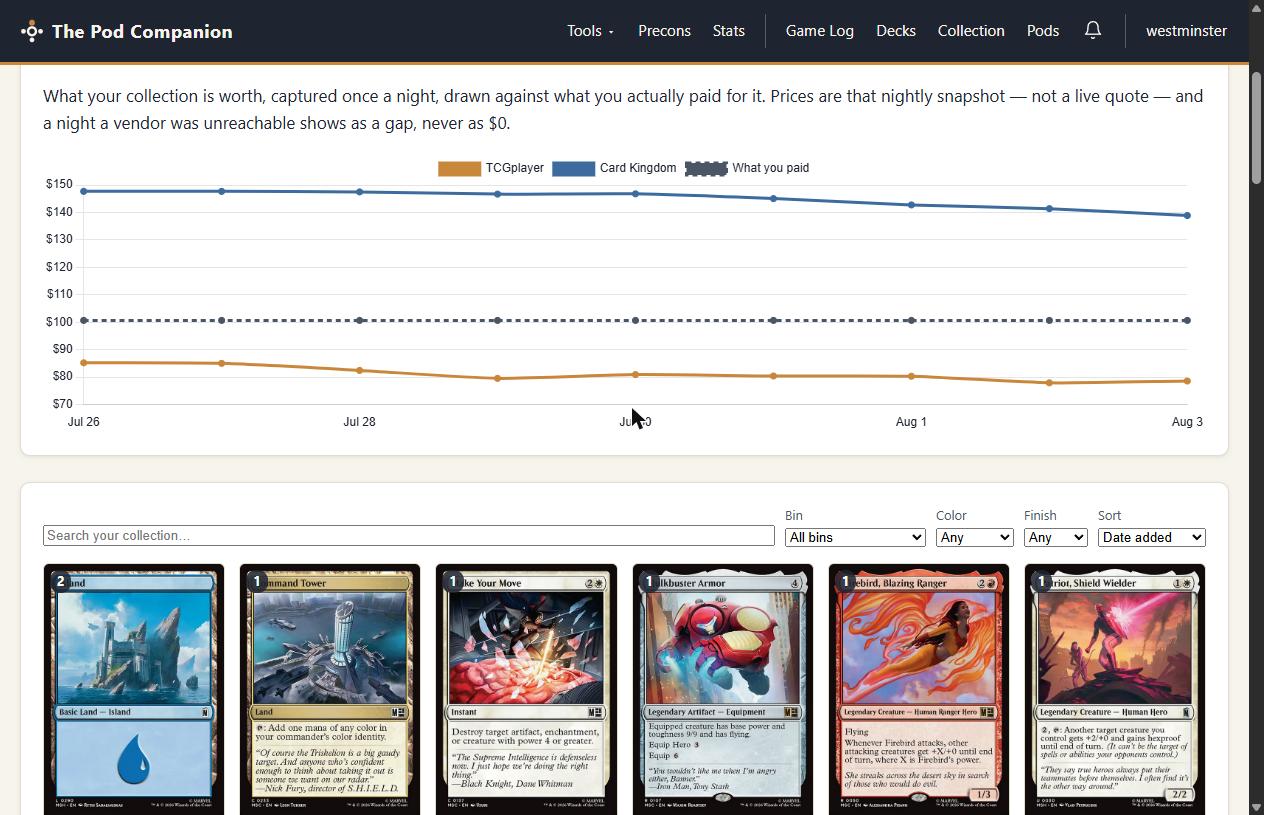
A snapshot runs once a night and prices everything you own at both TCGplayer and Card Kingdom. That's what makes the Value over time chart possible: two market lines, and a dashed line underneath them for what you actually paid. The distance between them is the only number in collection tracking that's really worth watching.
- What you paid stays what you paid. The acquisition price on a lot is frozen the day it's recorded and never rewrites itself to today's market, because a cost basis that moves isn't a cost basis. Leave the price blank when you add a card and it records that day's market price for that finish. Type in what you handed over and it keeps that instead.
- Receipts bring the real figure. Cards that arrive by receipt come with what you paid already attached.
- Honest about what it is. This is a nightly snapshot, not a live quote, and the page says so. A night a vendor couldn't be reached shows as a gap in the line, never as $0, and a card with no price data shows nothing rather than an estimate.
Your binder
Every stack priced against what it cost
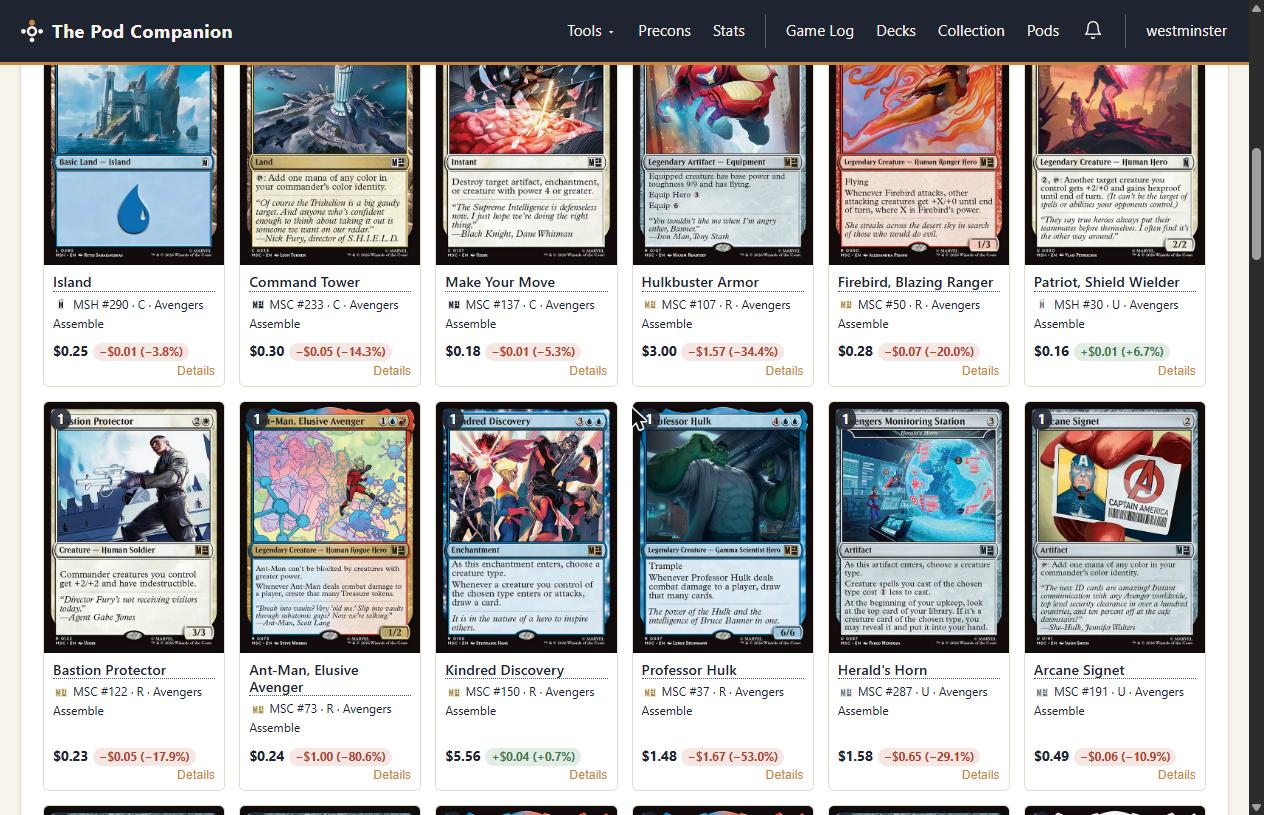
Across the top of the page: how many cards, how many unique, today's market value, what the collection cost you, and the signed difference. Down in the grid, each stack shows today's price as the headline with a green or red move against its cost basis. You can sort the whole collection by market value or by gain and loss, which is how you find out that the sleeper in the trade box is now the third most valuable thing you own.
Cards live in bins, and bins are meant to mirror the storage you already have: Black Binder, Trade Box, the deck box in the car. Filter and sort within one, import a CSV straight into one, and delete one without losing anything. The cards move to Unsorted rather than disappearing, because a storage label is not a reason to delete a card.
And the rest
Wants, watches, decks, and getting it back out
A wishlist that knows what you already own
The wishlist is a second tab on the same page, and it works at printing level too: pin the exact version you want, or tick “any printing is fine” when it genuinely doesn't matter. Each want carries a priority, a quantity, and a note for the reason, because “for the Atraxa deck” is the kind of thing you will not remember in three months. Prices show on wishlist rows, so you can see what the hunt costs, and a want you already own a copy of is badged as such. When one turns up, Got it moves it into your collection.
Price watches that tell you when
Set a buy-below target, a sell-above target, or both, on the exact printing you care about. A buy watch can also take any printing, when the cheapest copy is the one you want. The nightly snapshot checks every watch and sends you a notification when one is crossed. A sell target is measured against TCGplayer market alone, because a store's retail price is not what it would pay you.
The bridge to your decks
Collection trackers and deck builders usually live in different apps, which is how you end up with the same copy of a card sleeved in three decks on paper and in none of them in reality. Here they're the same account. Mark a deck in the deck builder as “built from my collection” and its cards are reserved, so your other decks show that copy as committed elsewhere instead of pretending it's available. Going the other way, a deck you've just built can be filed into the collection in one action, in a new bin named after it.
Set completion, and a way back out
Set completion shows how much of each set you own, counted two ways: by card name, which is what most people mean by completing a set, and by printing, where every showcase, borderless and promo version counts on its own. And the whole collection exports to CSV, one row per lot with the printing, what you paid and when, so it comes back into this site exactly and any other tracker that reads a CSV will take it too.
Private, with no switch to flip
Bring your collection over in one file
Your collection and your wishlist are visible to you and nobody else. There is no sharing setting, no public binder page, and no way for another user to look either of them up.
FAQ
Does the collection tracker cost anything?
No, and there is nothing to upgrade to. Unlimited cards, unlimited bins, the value history, the wishlist, the imports and the receipt scanning are all included in a free account. Card prices in particular will never be paywalled here. A tracker that hides what your collection is worth behind a subscription has the priorities backwards.
Can I bring my collection over from ManaBox or another app?
Yes. Export a CSV and drop it in. There are purpose-built readers for ManaBox, Moxfield, TCGplayer, Deckbox, Archidekt, Dragon Shield, MTGGoldfish, TopDecked, Card Kingdom and MTGO, and any other CSV with a card-name column works through a generic reader. Exports that carry a Scryfall ID match exactly, every time. Exports with a set code and collector number match almost as well. Name-only exports fall back to the default printing, and you fix those in the review step. Every import is one batch with its own undo.
Does it tell foils and alternate printings apart?
That is the unit the whole tracker is built on. A lot is a specific printing in a specific finish (nonfoil, foil or etched), so the Secret Lair copy and the precon copy of the same card are separate rows with separate prices, and a printing that was only ever sold in foil is recorded as foil automatically. Anything less granular cannot price a real collection.
How is my collection valued, and how current is the price?
A snapshot runs once a night and prices every card you own at both TCGplayer and Card Kingdom, which is what makes a value chart possible at all. It is a nightly figure, not a live quote, and it is labelled that way on the page. A night a vendor could not be reached leaves a gap in the line rather than a zero, and a card with no price data shows nothing at all instead of a guess.
What happens to what I paid when a card's price moves?
Nothing, and that is the point. The acquisition price on a lot is deliberately frozen at what you paid on the day you got it, so it never quietly rewrites itself to today's market. That fixed number is what the gain and loss figures are measured against, and it is why the value chart can draw a dashed cost-basis line underneath the market lines.
Can anyone else see what I own?
No. Your collection and your wishlist are private to your account, with no sharing switch, no public binder page, and no way for another user to look them up. Decks are the thing on this site you can choose to share. The collection behind them is not.